A Creative Tool for Mural Artists
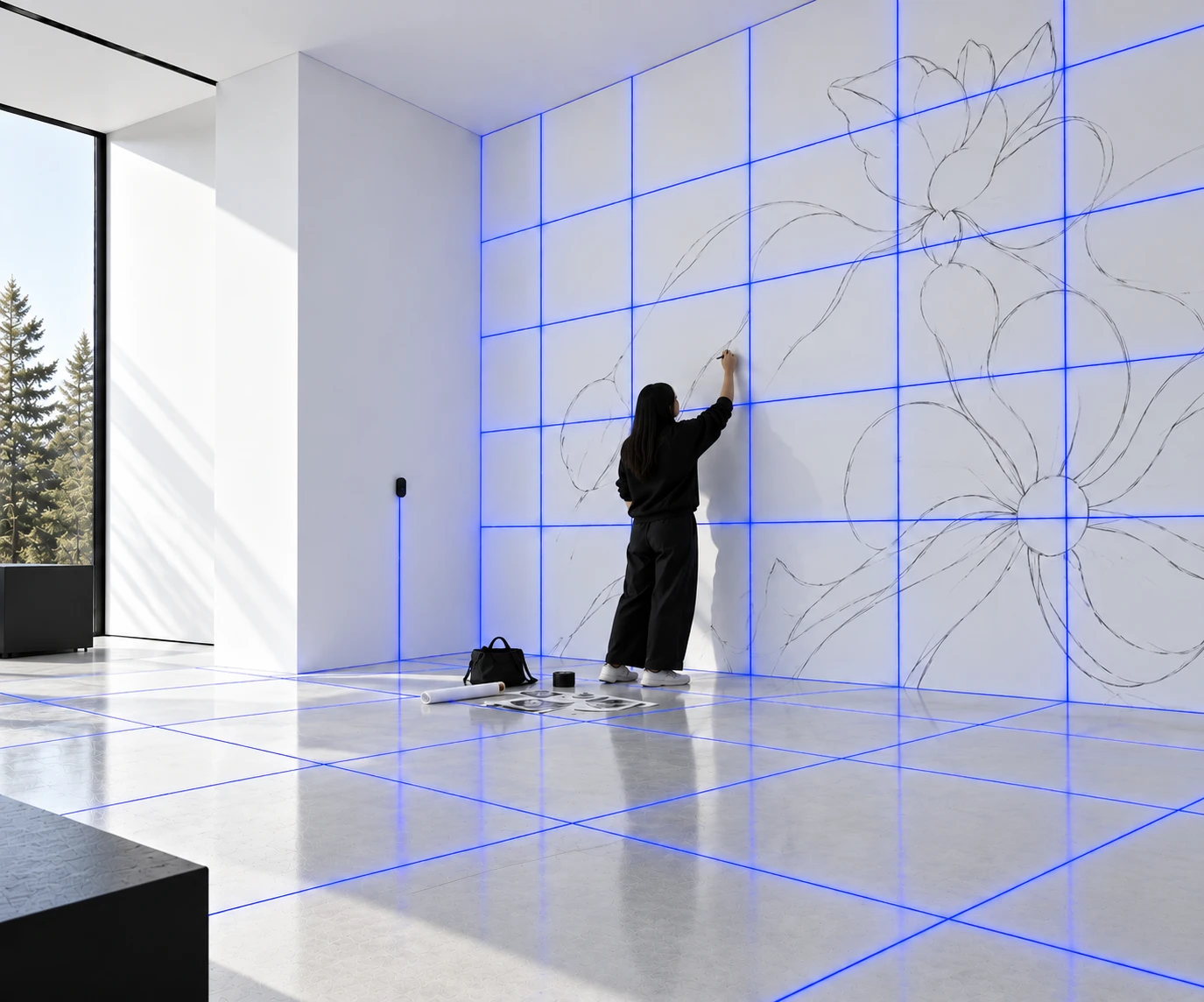
A flexible and portable projection device for artists
Projekt is a creative tool device that projects on top of a surface while adapting to its structure. The device is inspired by projection mapping and using software to warp projection to physical contours.
My Role
- 01Designed and prototyped an interactive planning app for mural artists
- 02Ran usability testing and integrated feedback through rapid design cycles to improve clarity and flow
- 03Conducted competitor audits and secondary UX research to define user needs and market gaps
0 → 1 design
Everything was built from the ground up, from ideation to final design
71 components
Interactive components in the design system
Client satisfied
The client was impressed with the professional look and functionality
Setting up a mural grid is slow and stays static
The target market is people of all ages, with a focus on mural artists who use grids to scale a design onto a wall. Conducting secondary research, artists described the process as time-consuming and inflexible once it’s drawn.
“I use grids to speed up my work, to a certain extent .. I don’t want to invest too much time judging proportions and having to start all over again when I get it wrong.”
“You might as well just trace or get a projector out. It’s incredibly slow and pretty lazy, and the results generally aren’t amazing. Great for giant work though (theatre/murals/etc.).”
“Cons — takes time, and sometimes a lot of tools and math to set up an accurate grid. Needs to completely cover up or erase the grid.”
How might we help mural artists quickly scale, adjust, and project their designs onto different surfaces?
Competitive Analysis
I annotated adjacent grid-mapping and drawing apps to see how they handled canvas tools, layering, and onboarding, then used those patterns as directional evidence for Projekt.
Deeper toolsets came at the cost of clarity.
- Layers, brush libraries, and pro features were powerful, but often buried or gated.
- My takeaway: keep Projekt’s canvas tools simple, visible, and immediate.
An app that customizes the projected grid in real time
My solution is an app made for artists. It lets users dynamically customize the grid the device projects. Artists are able to layer images and templates or draw directly onto the projection. There are also AR features to measure elements precisely.
Customize the grid
Artists set rows, columns, color, and opacity for the grid. They can also draw on the projection in customize grid layout
Measure the wall in AR
Point the camera at the surface to capture real dimensions and ensure proper sizing
Adjust hands-free with voice
Mid-mural with paint on both hands, artists can speak a command to change the projection
Share work and build community
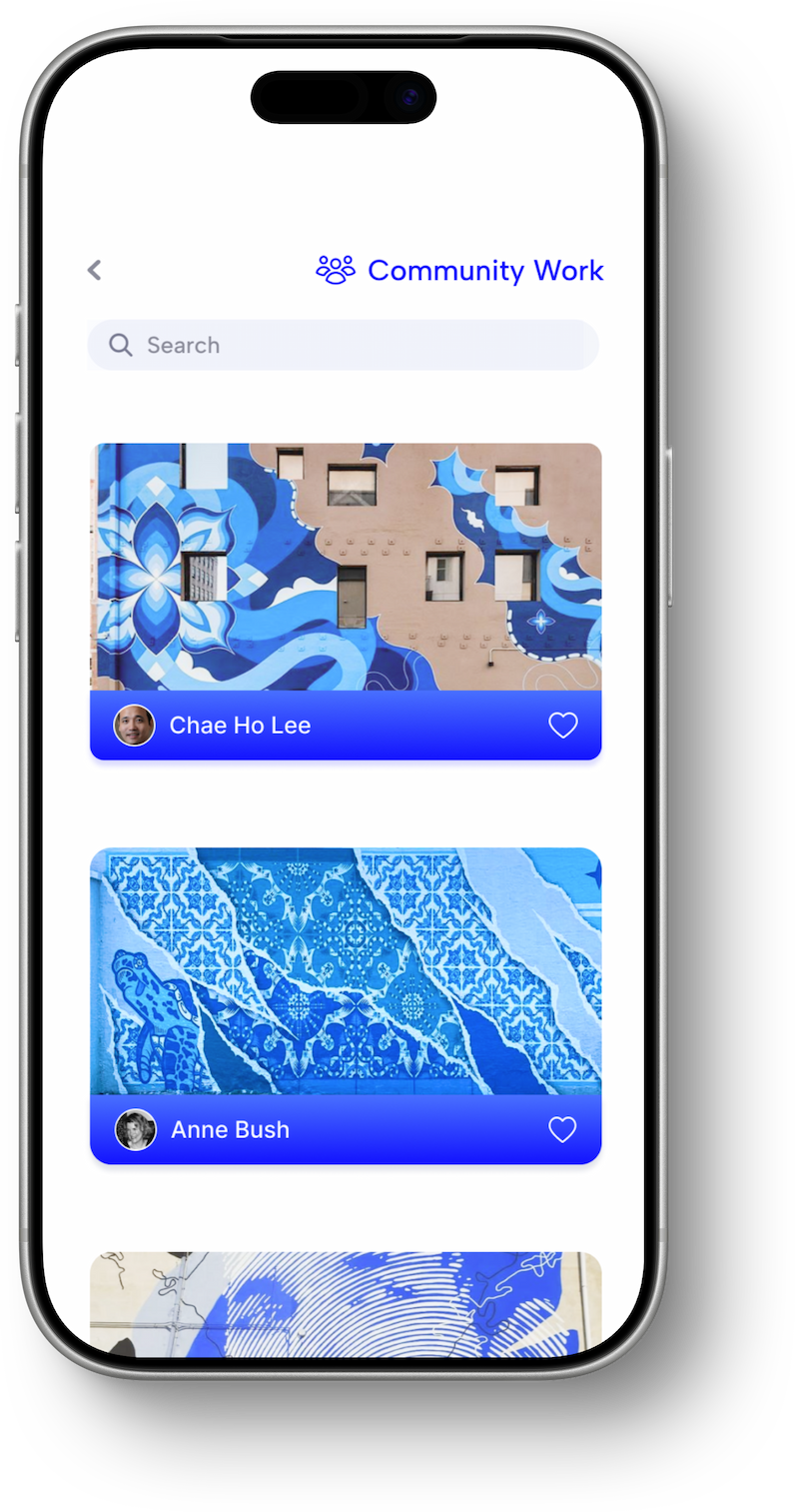
A community feed where artists post finished murals with location and story, connecting with other muralists
Moving fast to build a functional and visually appealing tool
Given the short timeline, I went through fast iteration cycles making key changes to the app every day along with the visual system.
Mapping user flows and exploring layout
After understanding the problem, I ideated design solutions and features the app can have along with the user flows to consider.
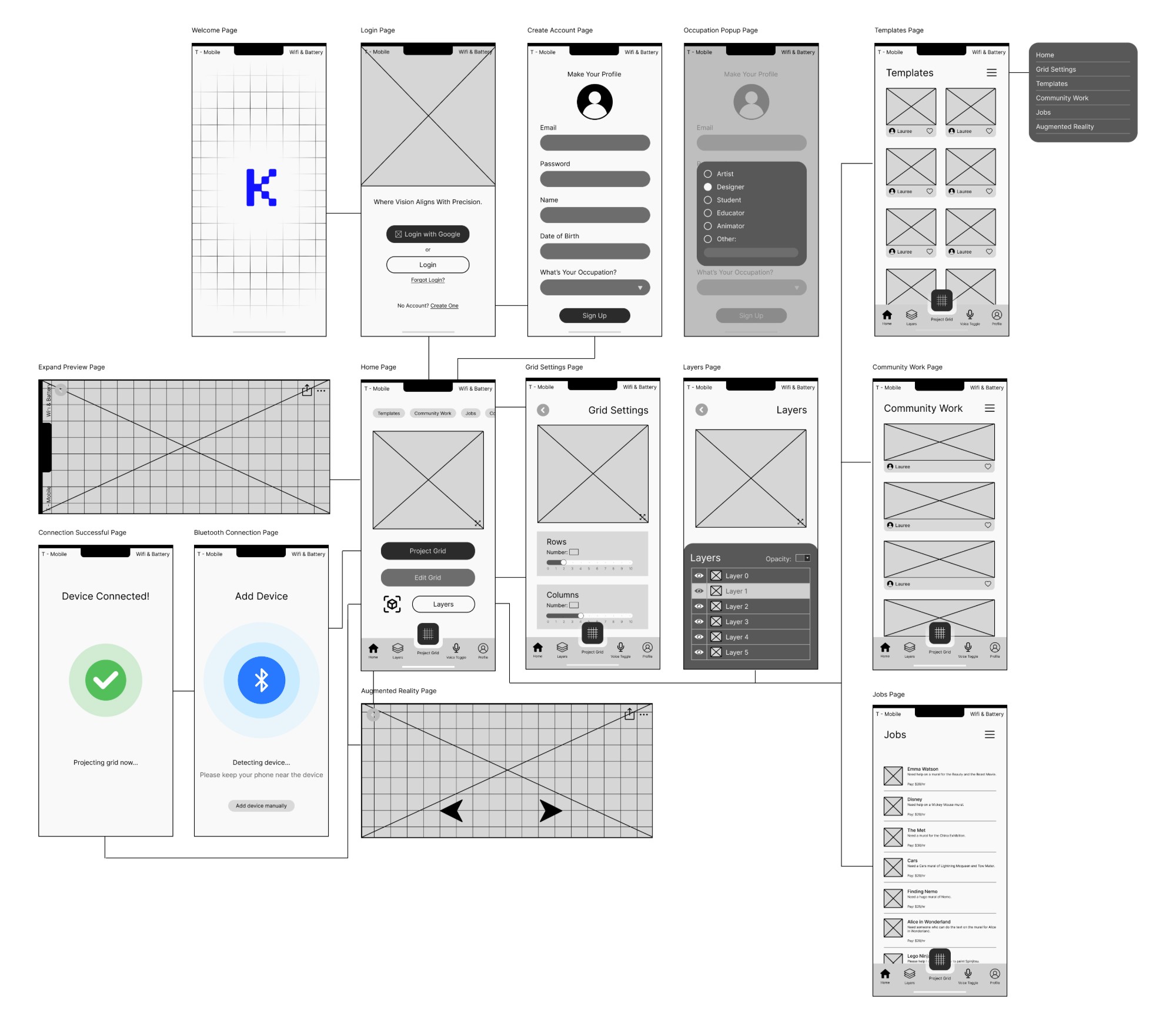
It started a bit too functional..
It started out a bit too utilitarian, rather than considering the visual design and appeal of the product itself I was focusing more so on the features that they would use, such as:
- 01Customizing the grid
- 02Needing bigger components for easy clicks
- 03A hands-free toggle voice mode
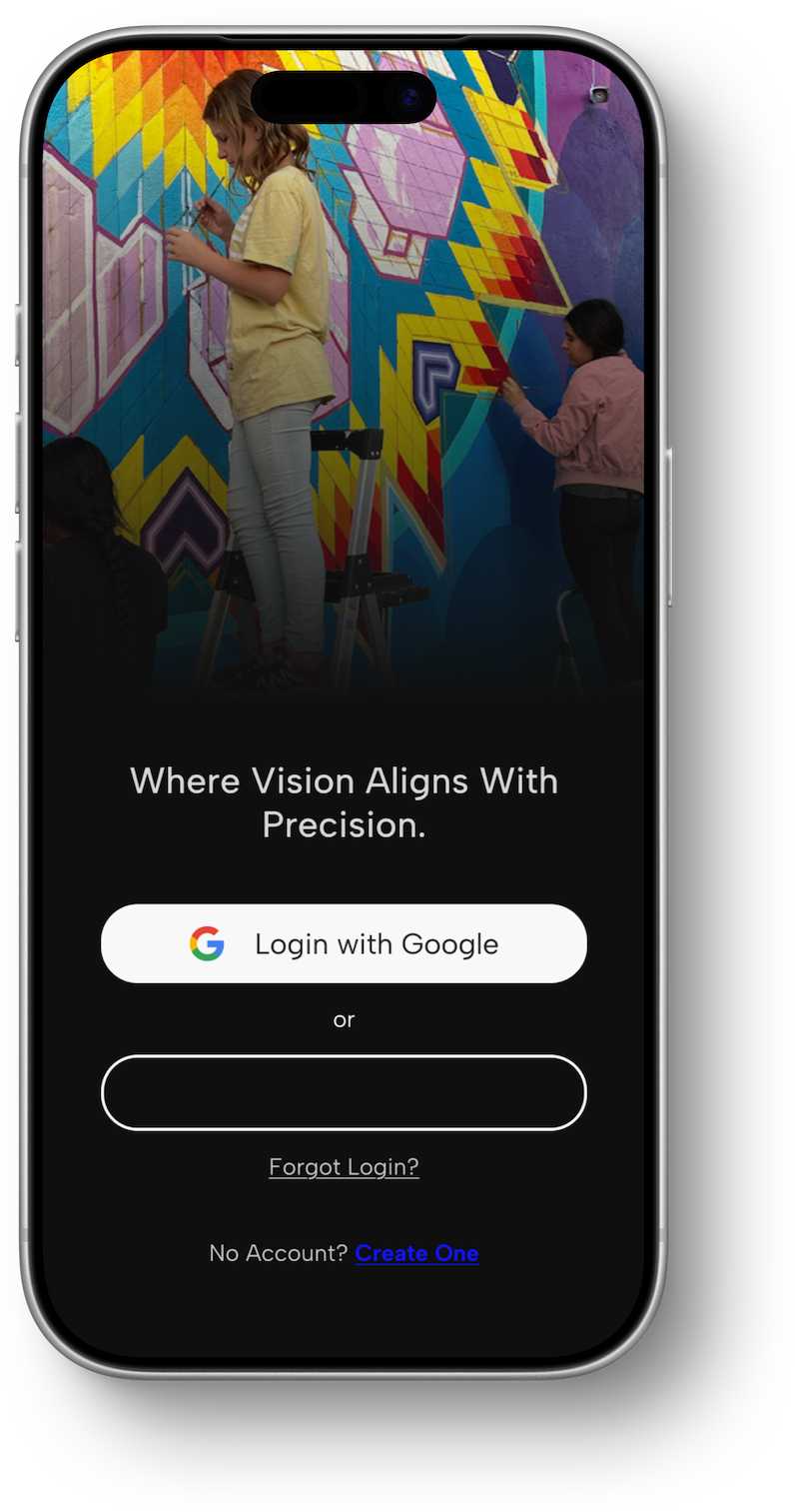
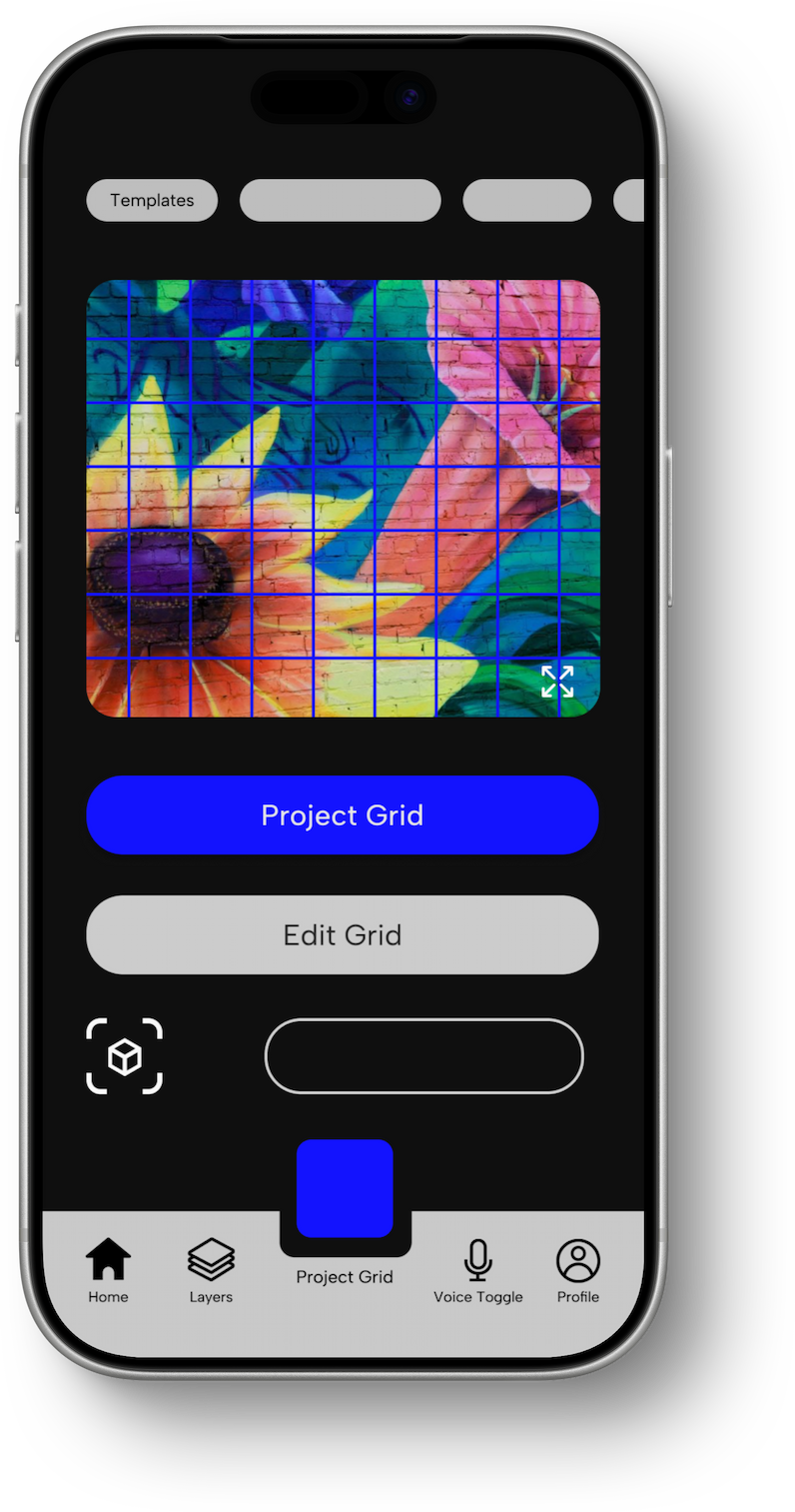
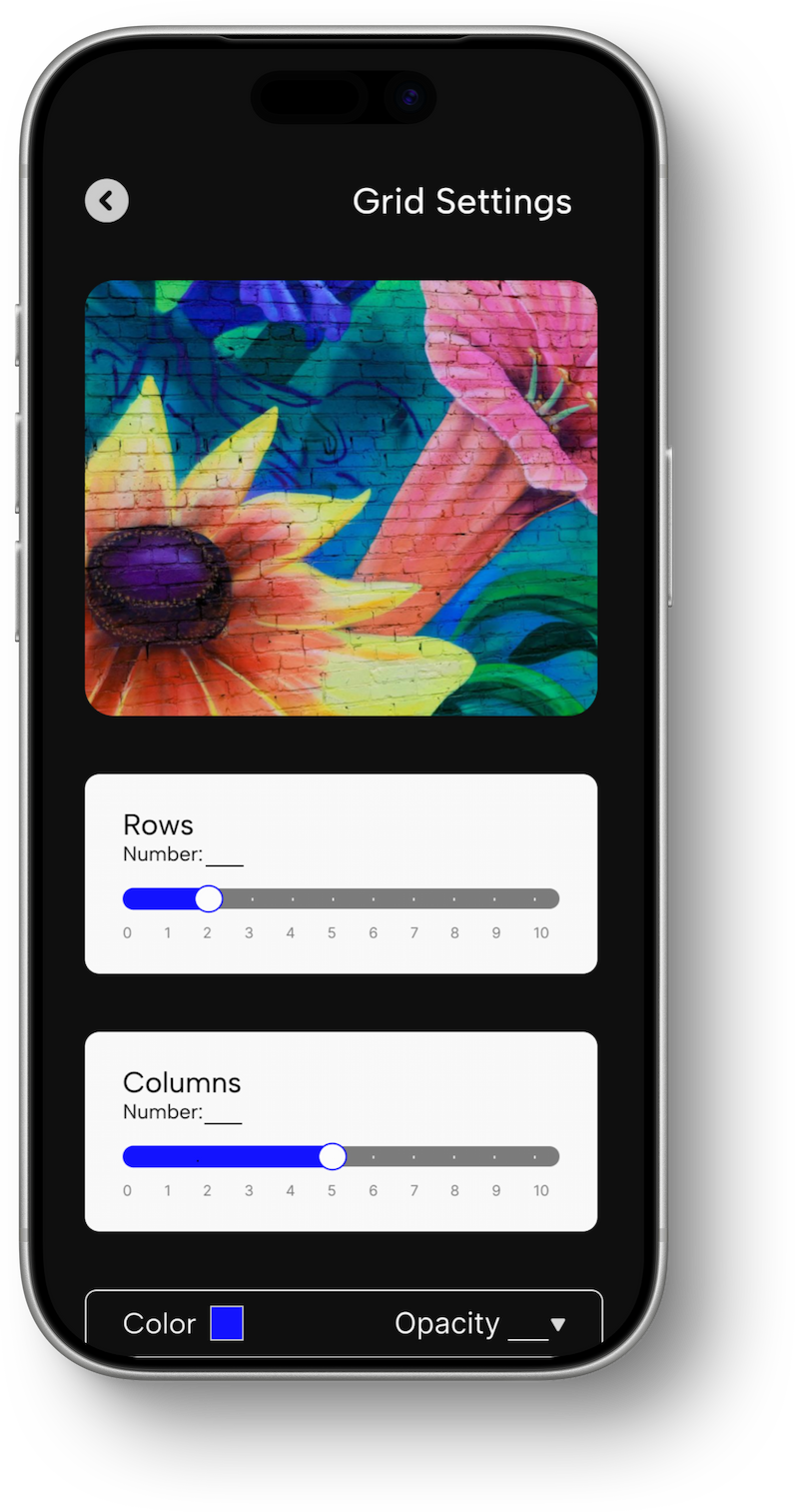
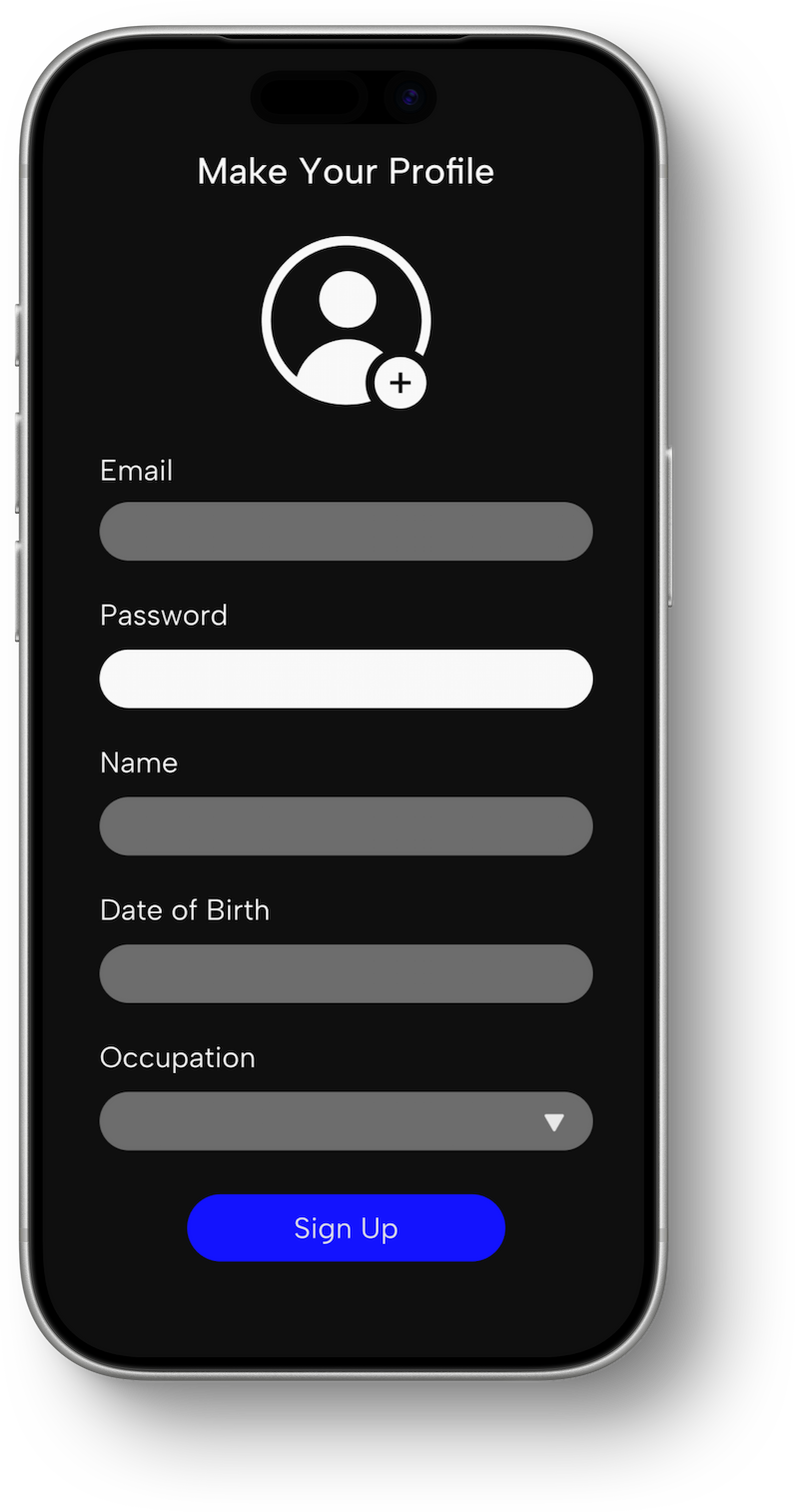
Getting there
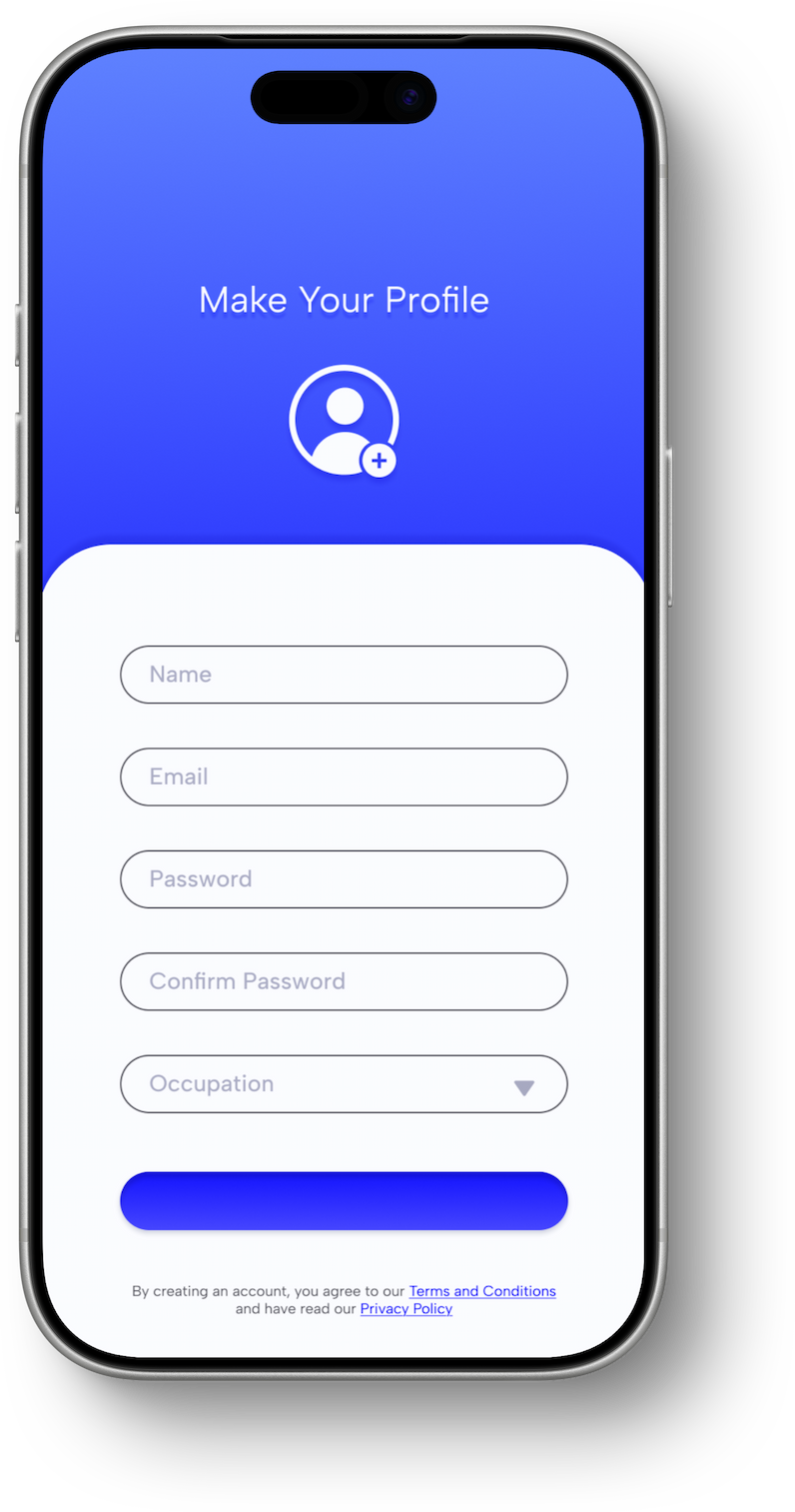
I pivoted into a more visual approach for my app while retaining my features. When working with the client, he liked the visuals of the app a lot more. But, here were his main concerns:
- 01Functionality needed to be shown better through prototyping
- 02Needed more content and function besides just the projection
- 03It needed to be more visually cohesive with color, scale, and type
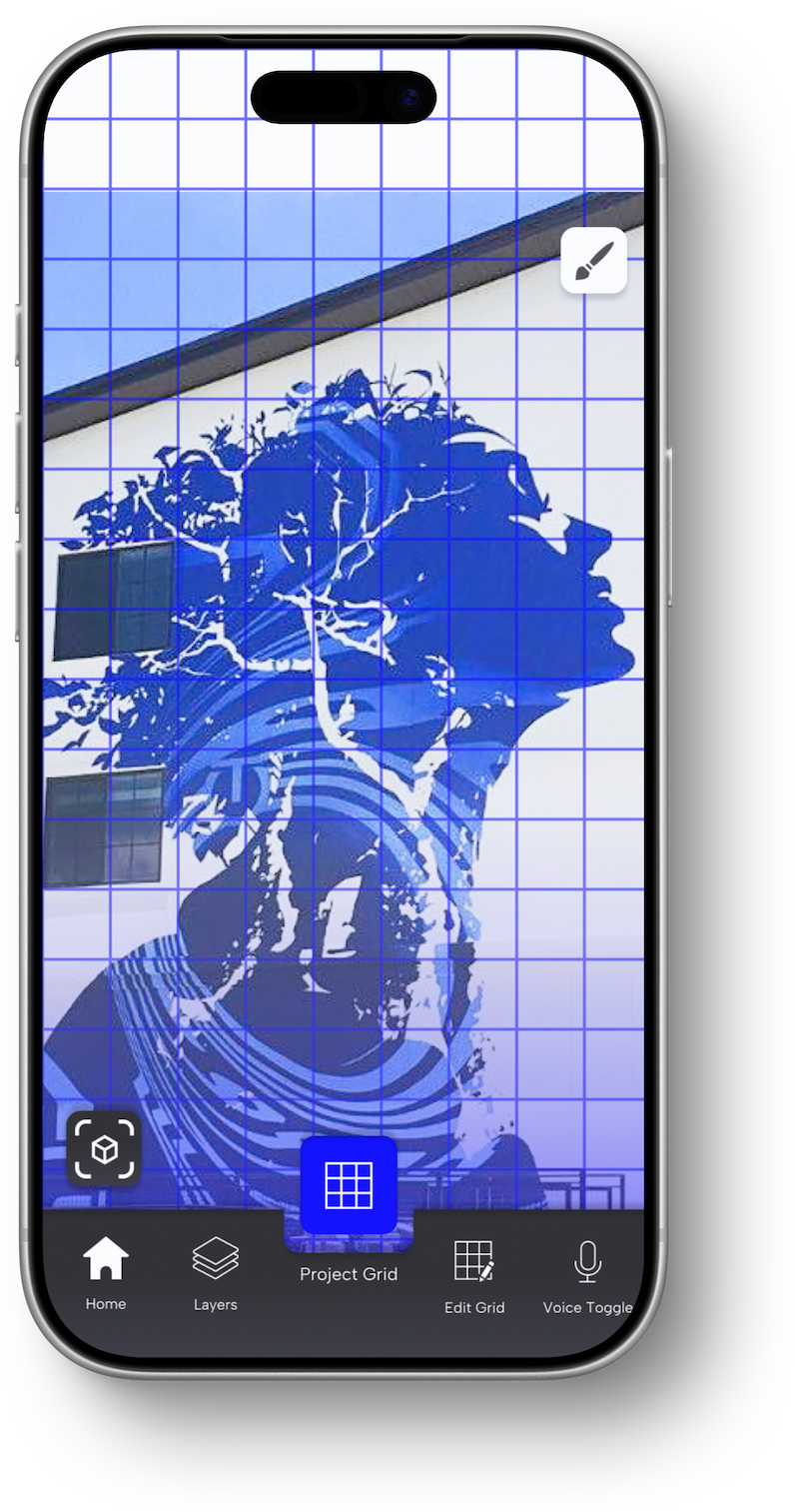
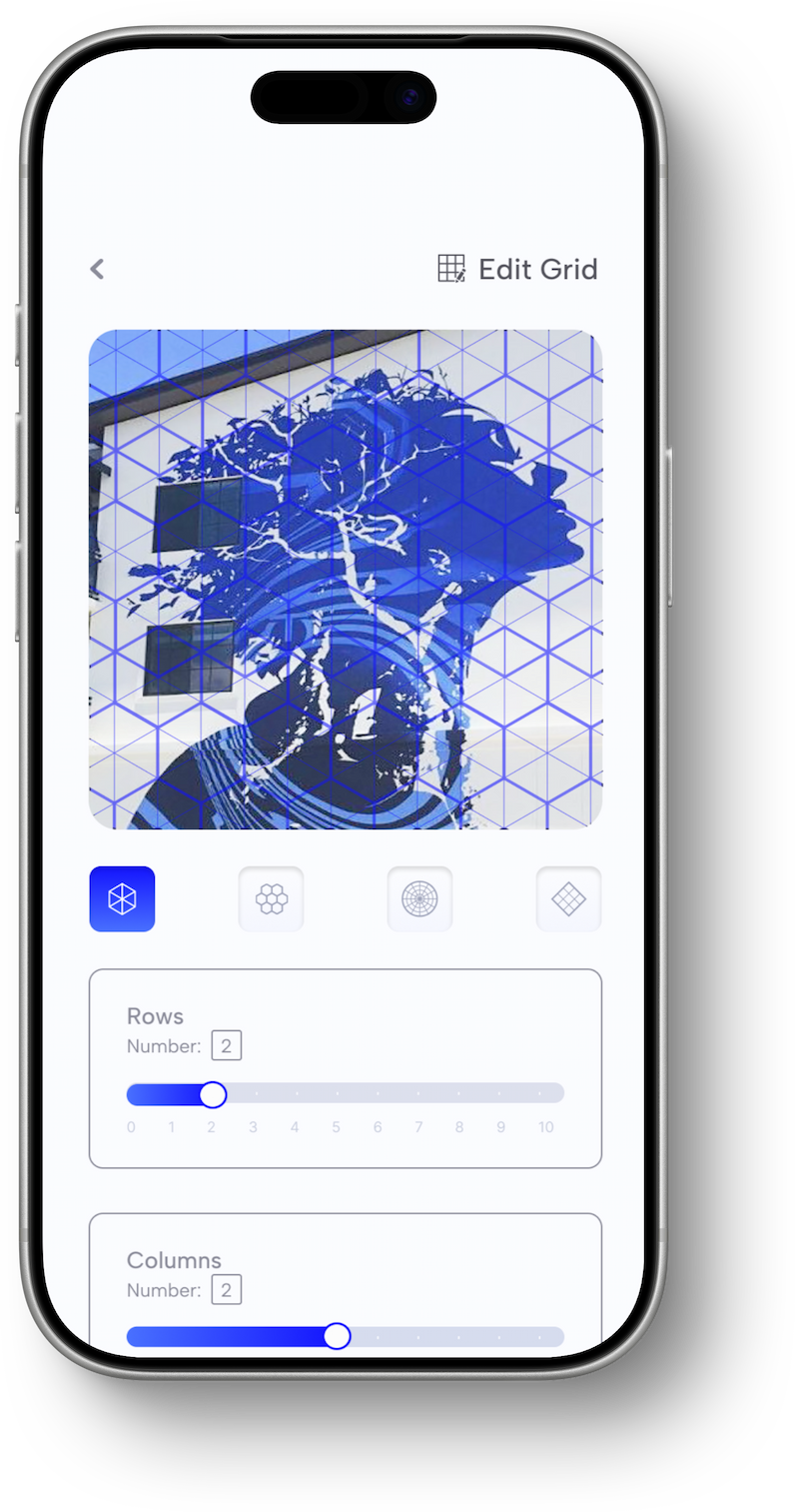
Key design decisions
- 01Keep projection controls immediate. For Projekt, I prioritized the settings muralists would adjust most directly accessible to them. Grid count, shape, opacity, color, and positioning.
- 02Measure the surface before asking artists to configure it. I introduced AR measurement to ensure accurate scale at all times of art.
- 03Design for moments when access is difficult. A muralist may be standing away from their phone or have paint on their hands when they need to adjust the projection. I introduced an optional voice mode for common grid adjustments.
A cohesive app built for real mural workflows
Working in fast iteration cycles, I built Projekt as an interactive prototype. I worked tirelessly to create a cohesive design system within the short time frame of 5 weeks.
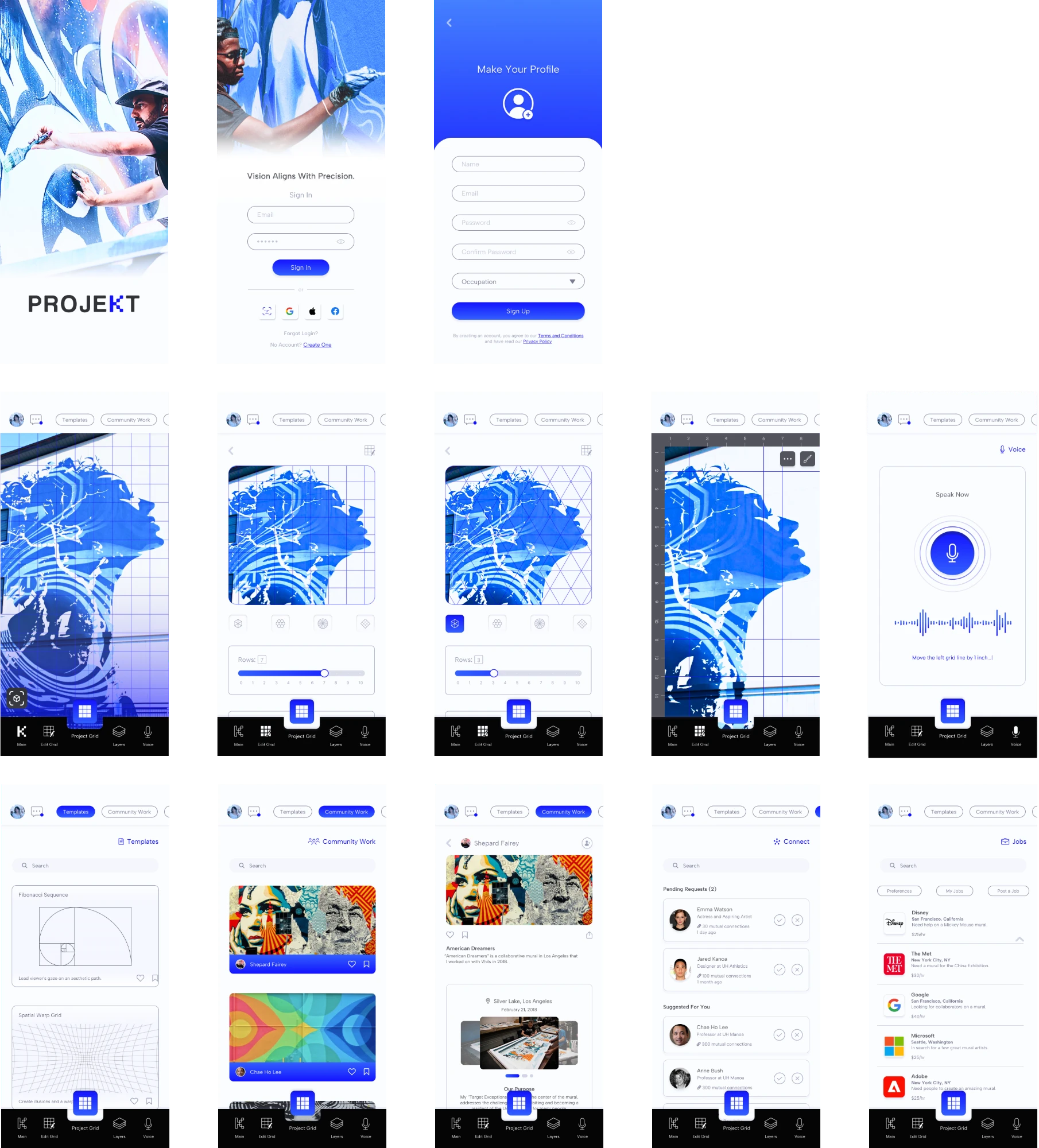
“Very professional and well developed app design. I appreciate the extra frames, level of details and cohesiveness of the content. I also appreciated your professional appearance the time you spent putting together a strong and exuberant pitch for your app prototype.”
What this project taught me
It was a very rewarding yet challenging task building an app from start to finish while tailoring it to my client’s perspective. It taught me how to build an app in a concise, professional, and usable manner, and how to optimize every function for the user in a visualized way.
Developed a full design system
Created a full branding system and 71 components with interactivity.
Optimized the user experience
Researched extensively to understand potential users and simplify the user flow.
Design Strategy
Balanced functionality with aesthetics to create a system that was both usable and refined.